> ## Documentation Index
> Fetch the complete documentation index at: https://rive-ue-supported-platforms-20260610-update.mintlify.site/llms.txt
> Use this file to discover all available pages before exploring further.
# Exporting for Runtime
export const YouTube = ({id, timestamp}) => {
const videoSrc = timestamp ? `https://www.youtube.com/embed/${id}?start=${timestamp}` : `https://www.youtube.com/embed/${id}`;
return ;
};
Exporting for runtime is available on paid plans. [Learn more about our plans and pricing](https://rive.app/pricing?utm_source=docs\&utm_medium=content).
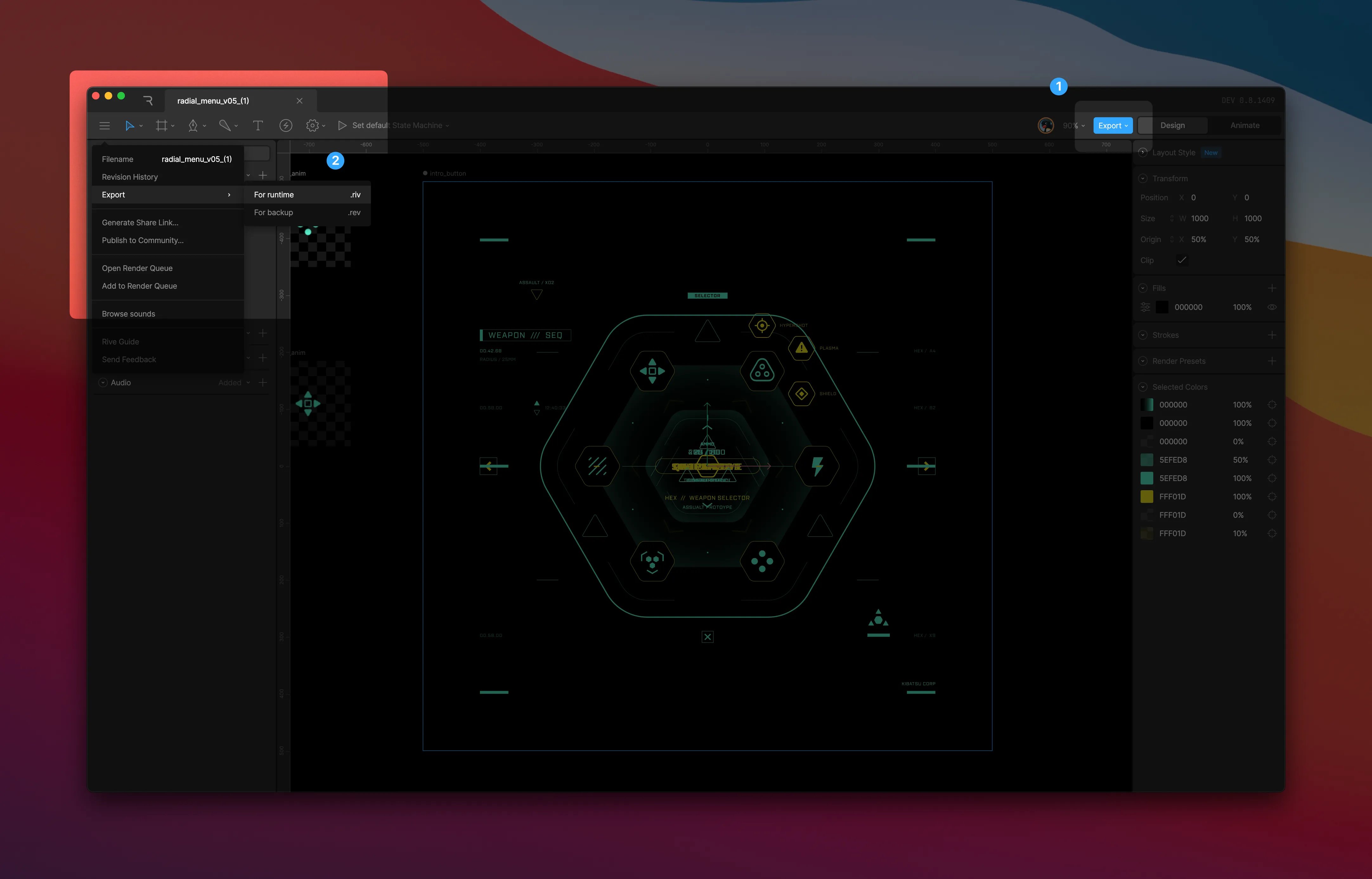
To export a file for runtime, select the blue export action on the right-hand side of the toolbar or navigate to `Export` > `For runtime` via the left-hand toolbar menu. You can load the exported `.riv` file into your app, game, or website via any of our [open source runtimes](/runtimes/).